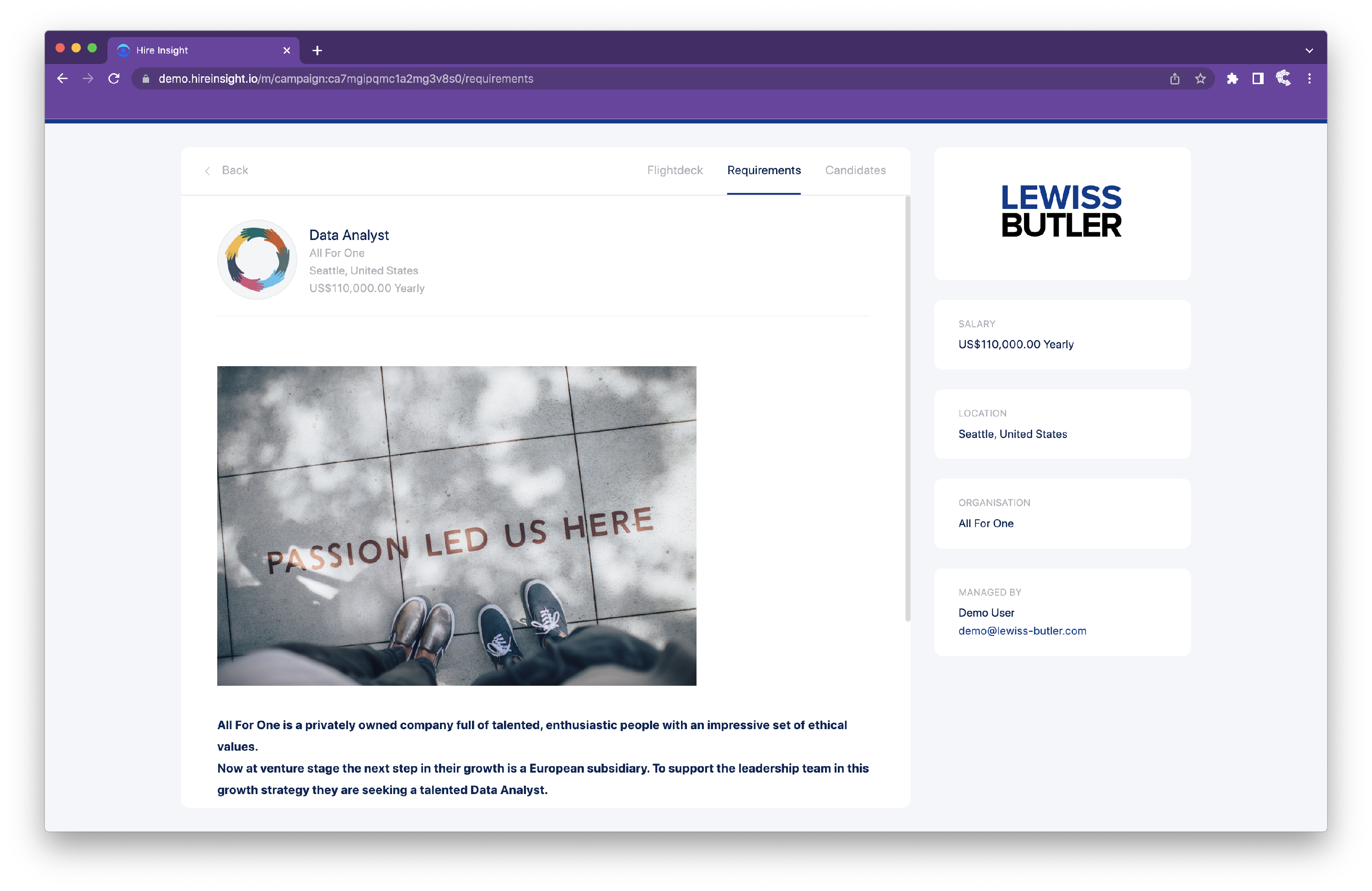
Creating the Campaign Elements - Requirements
To open Campaigns, click on Manage campaigns on the lefthand toolbar.

Select the Campaign in which you want to set up Requirements.

Click on Campaign setup at the top righthand corner.

Navigate to the Job details area, select the click on the Requirements tile.
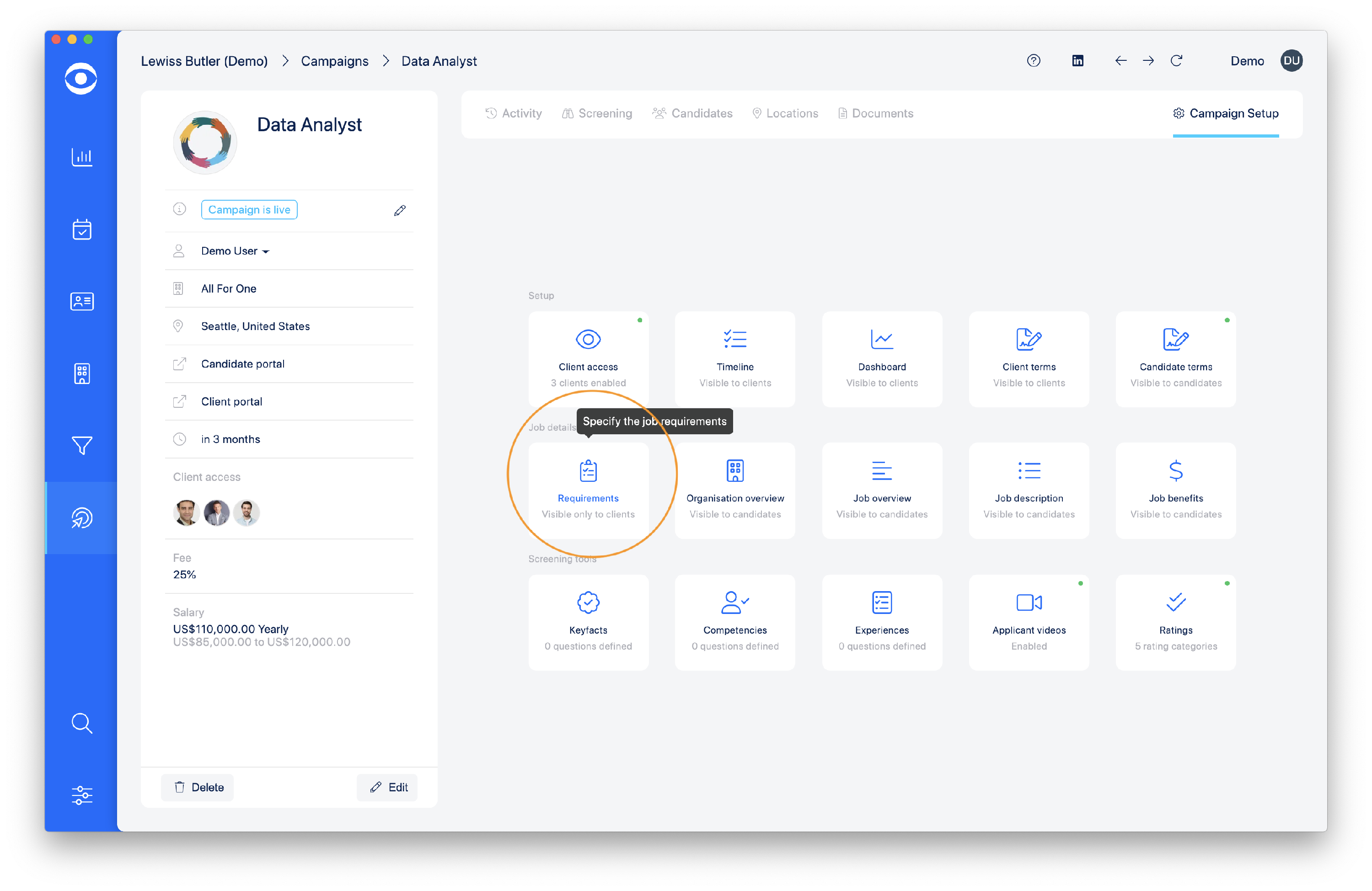
The Candidate requirements popup window will open, here you can enter the information that will be visible to in the Client Portal about the Requirements of the role.
Tip: Use the text editing toolbar in the Candidate requirements popup window to ensure your content is formatted correctly and contains interesting features.
The toolbar also allows you to add images, links, code and quotes.
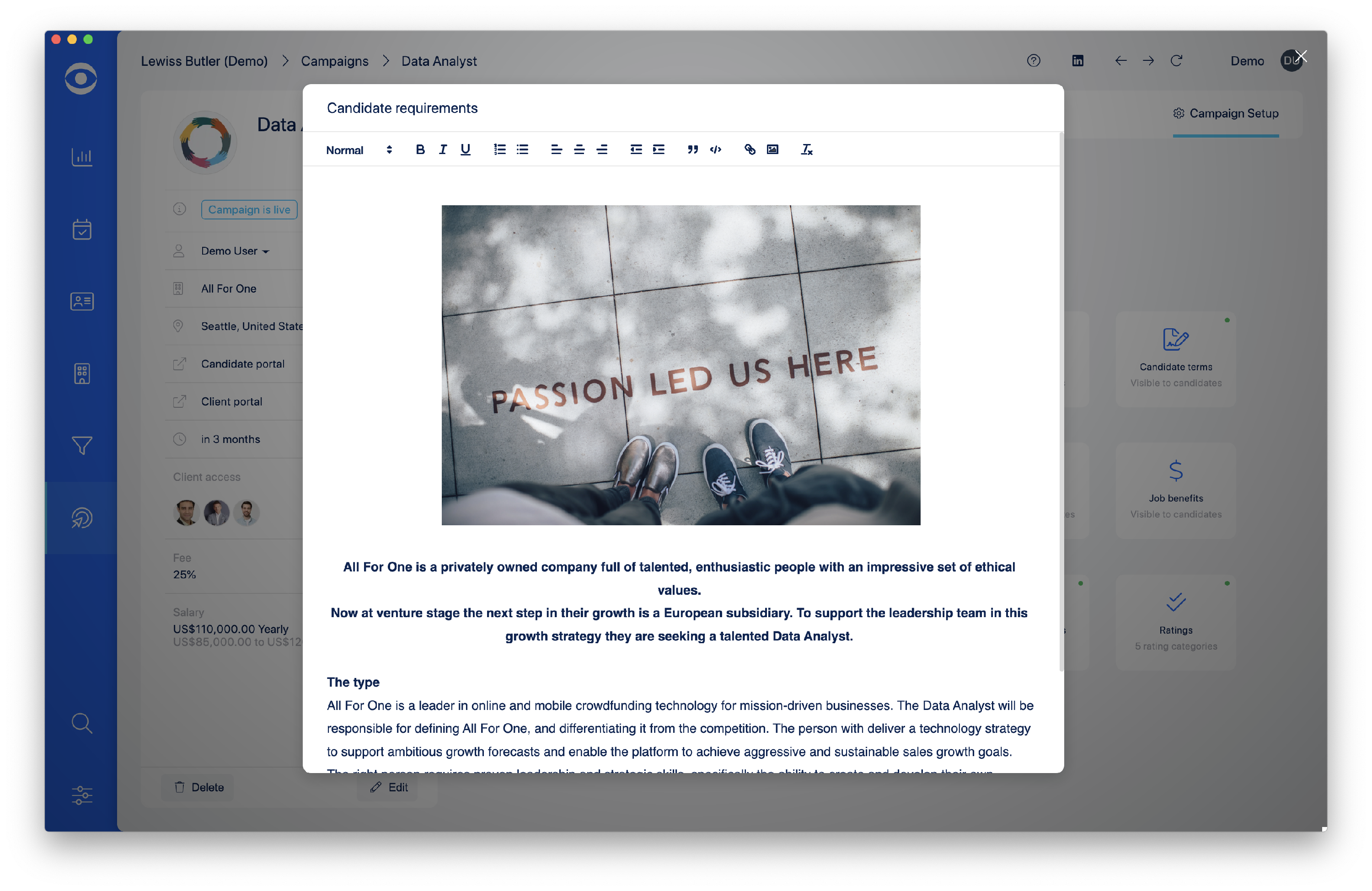
Once the content is completed, close the Candidate requirements popup window to save.
The Candidate requirements will now be visible in the Client portal.