
My Client/Candidate can't Login to the Portal
CONTENTS:
- Client or Candidate has incorrect URL
- Candidate has not been invited to Apply
- Incorrect email address
1. CLIENT OR CANDIDATE HAS INCORRECT URL
Client or candidate has the wrong URL - they are trying to log into the App and not the portal.
Ensure the Client is using the correct account name to prefix the URL.
To find the correct account name, click on Configure settings on the lefthand toolbar.

In the Account tiles click on Account.
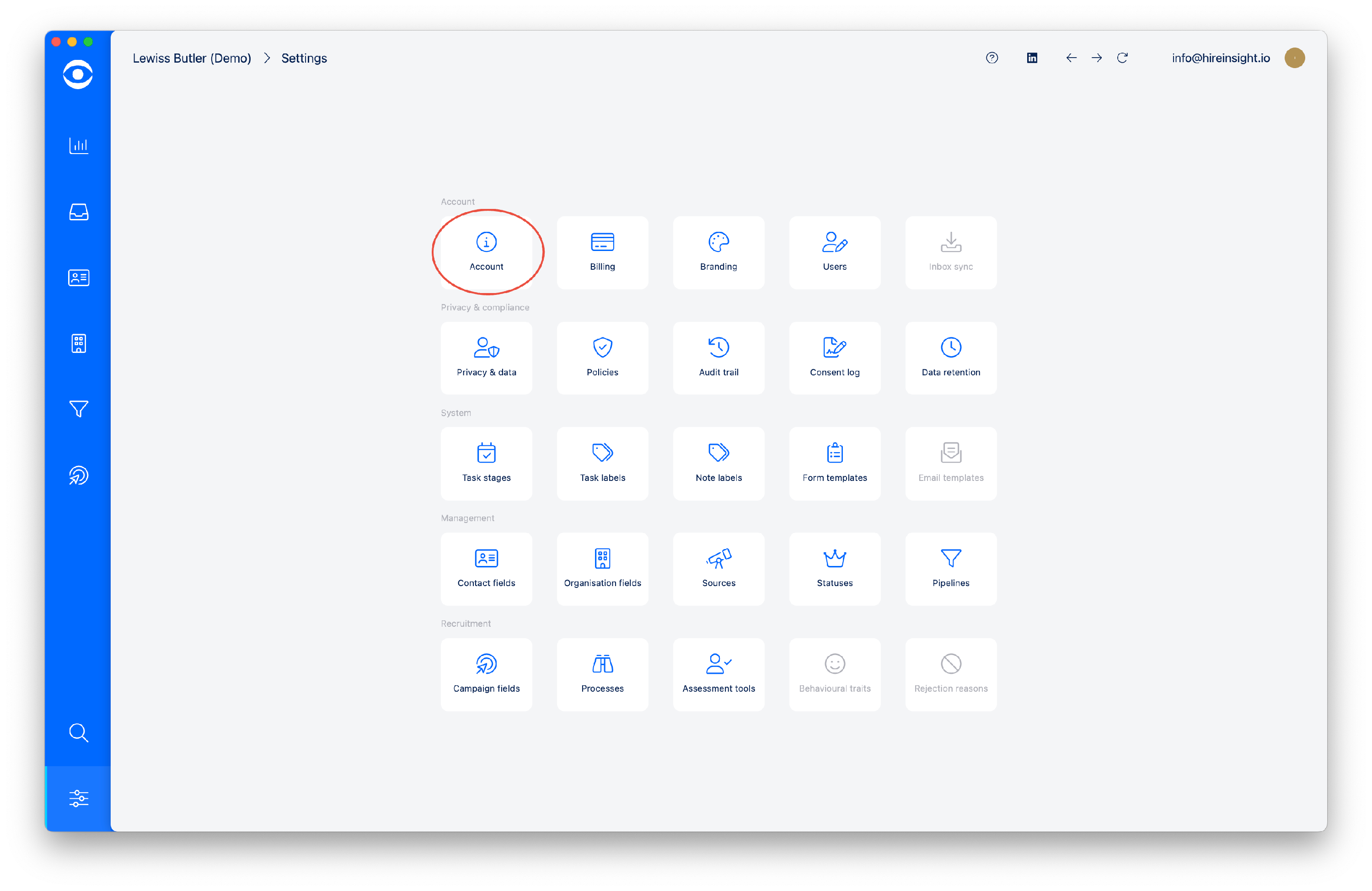
The Account domain is shown at the top of page.

To continue logging in to the Client portal, read here to learn How to log in for Clients and Candidates
2. CANDIDATE HAS NOT BEEN INVITED TO APPLY
The Candidate is trying to login before they have been moved to 'invited to apply' stage in the Campaign
Candidates don't have access to the Campaign until they have been invited to apply.
Once invited, read here to learn How to log in for Candidates and Clients
3. INCORRECT EMAIL ADDRESS
Clients or candidates are trying to login when their Contact record does not contain the correct email address.
Update the Contact record with the correct email address.
Read here to learn How to log in for Candidates and Clients.