How to Tag a Contact
Using the Tagging function in HireInsight.io is a great way to speed up searching for individuals to match a particular criteria.
The Tagging function is manually customisable to your own requirements.
CONTENTS:
-
How to Create a Tag for a Contact
Use Tags to identify search criteria which work for you; sectors, geographical locations, seniority.
Tags are unlimited.
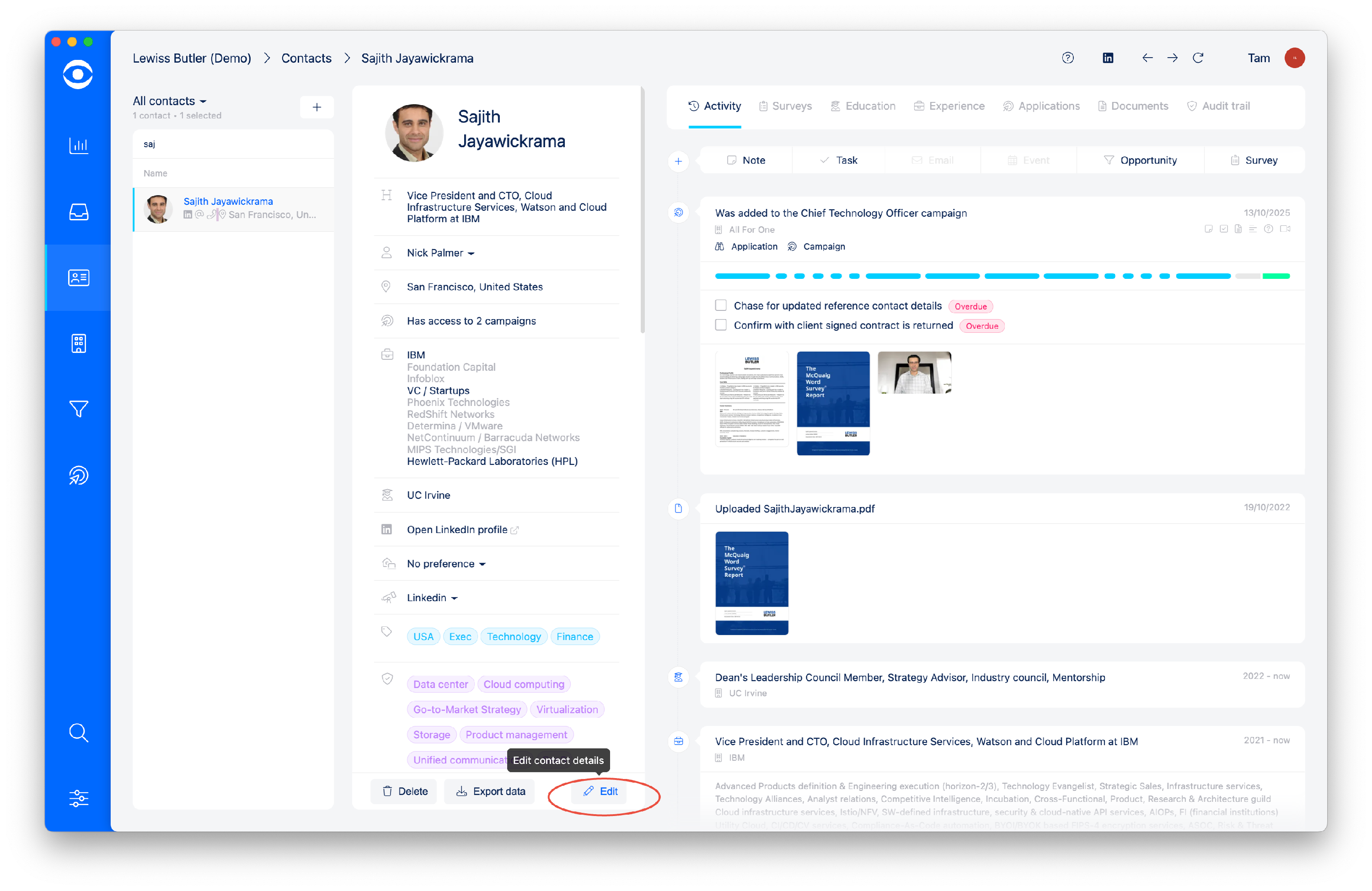
To create a Tag for a Contact, select Edit from the profile summary.
In the pop-out window, there is a Tags section for creating tags.
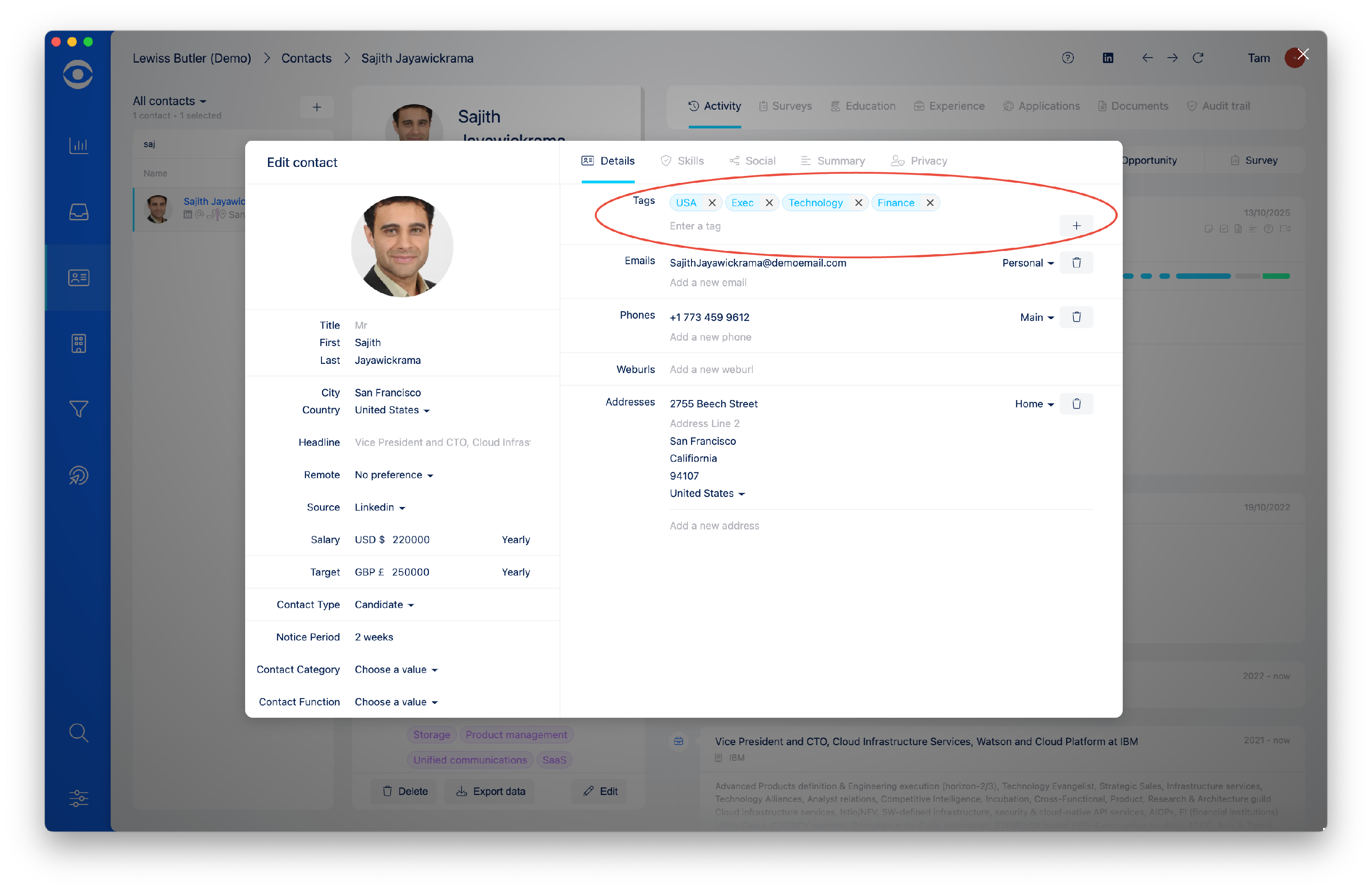
After typing the Tag in the box, click the + sign to create the Tag.
-
How to remove a Tag from a Contact
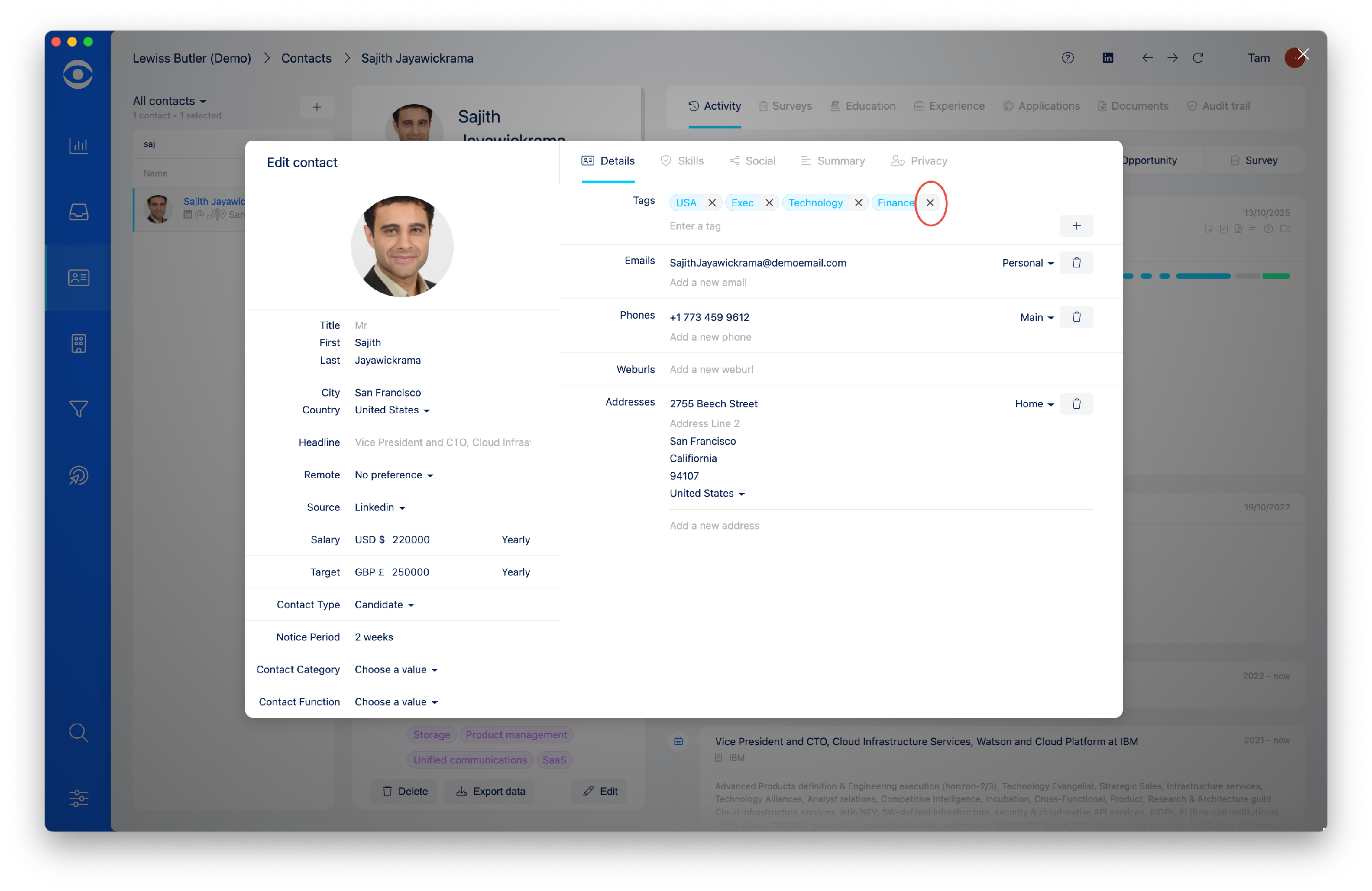
To remove a Tag, click the X in the tagging box.